
Personal Access Tokens (PATs)
What are Personal Access Tokens (PATs)
Personal Access Tokens (PATs) are time-limited, scope-based tokens used to authenticate API requests without using username/password credentials.
PATs are intended for programmatic access, automation, CLI usage, and third-party integrations.
When to use PATs
Use Personal Access Tokens when you need:
- API access from scripts or services
- Authentication for CLI tools
- CI/CD or automation workflows
- Integration with external tools and editors
Creating a PAT (UI)
To create a Personal Access Token using the Cube AI UI:
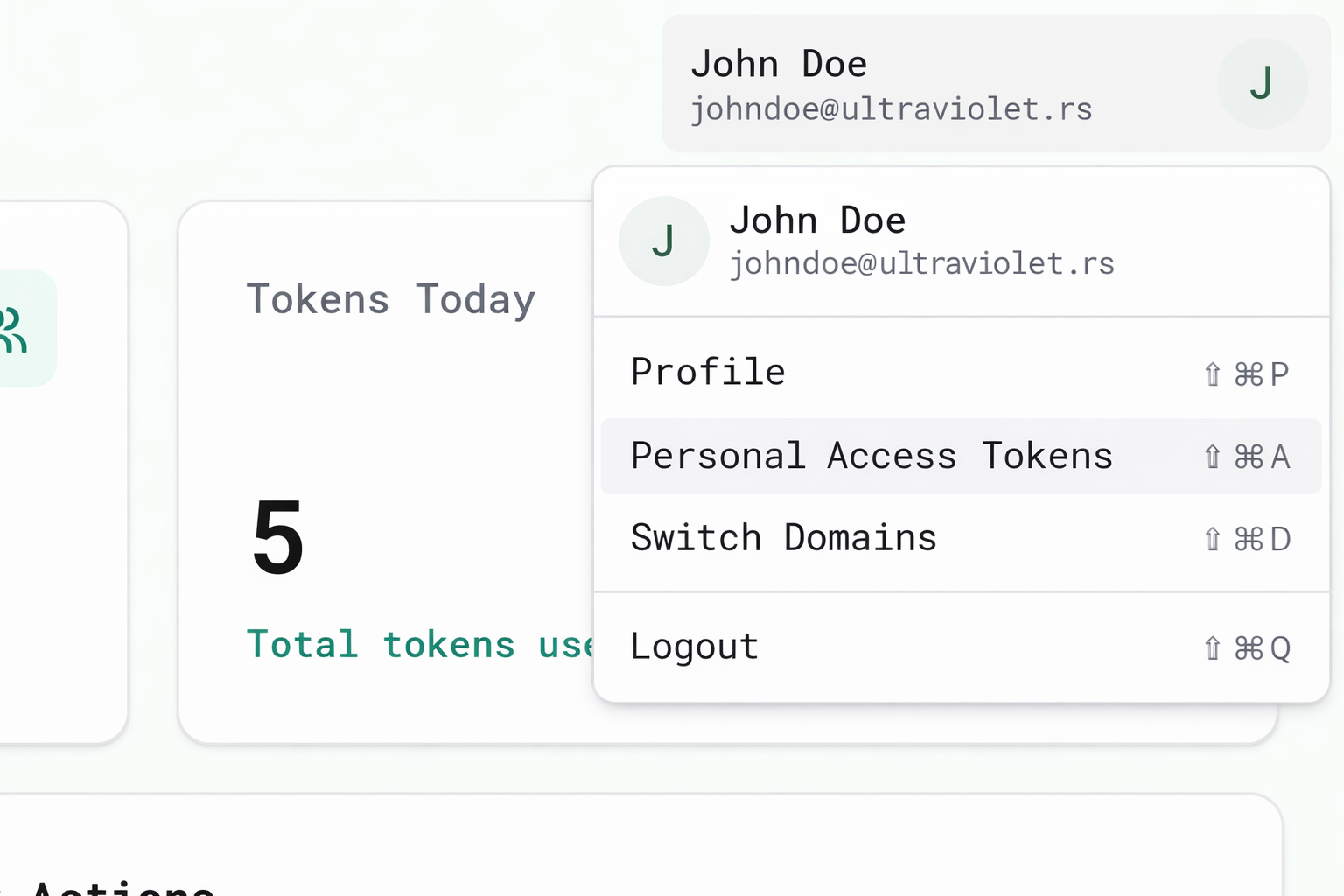
- Log in to the Cube AI UI
- Navigate to Profile → Personal Access Tokens
- Click Create
- Provide the required information:
- Name — a unique name for the token
- Duration — token validity period
- Scopes — allowed resources and operations
- Click Create and copy the generated token
⚠️ The token value is displayed only once.
Store it securely, as it cannot be retrieved again.
UI Screenshots
Profile → PATs menu
Create Personal Access Token dialog
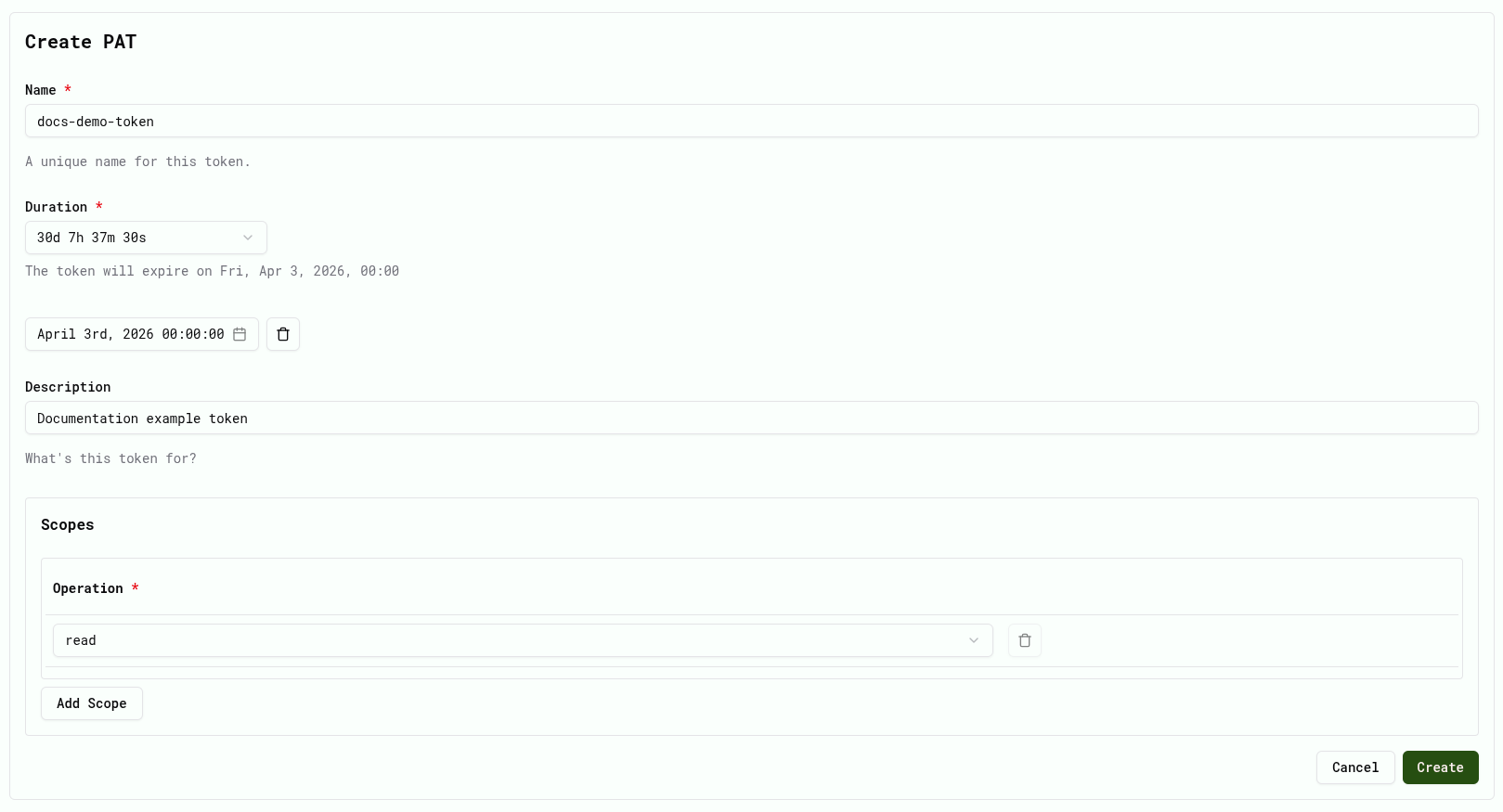
Token Duration
When creating a PAT, you must define its validity period.
The token will automatically expire after the selected duration. Expired tokens can no longer be used for authentication.
Token Scopes
PATs in Cube AI are scope-based.
Each token must define one or more scopes.
A scope defines what action can be performed on which resource.
Each scope contains:
- Entity Type — the type of resource (for example domains, models, or datasets)
- Entity — the specific resource instance
- Operation — the action that is allowed
Only operations explicitly defined in the configured scopes are authorized.
Scope Model
Cube AI Personal Access Tokens use a fine-grained authorization model based on scoped operations.
Each scope defines what action can be performed on which resource.
A scope contains three components:
- Entity Type — the category of resource, such as domains, models, or datasets
- Entity ID — the specific resource instance
- Operation — the permitted action
This model allows precise control over automated access.
For example, a token can be configured to:
- run inference using a specific model
- read resources within a domain
- access a specific dataset
- execute operations on a particular service
Only operations explicitly defined in the configured scopes are authorized.
Adding Scopes
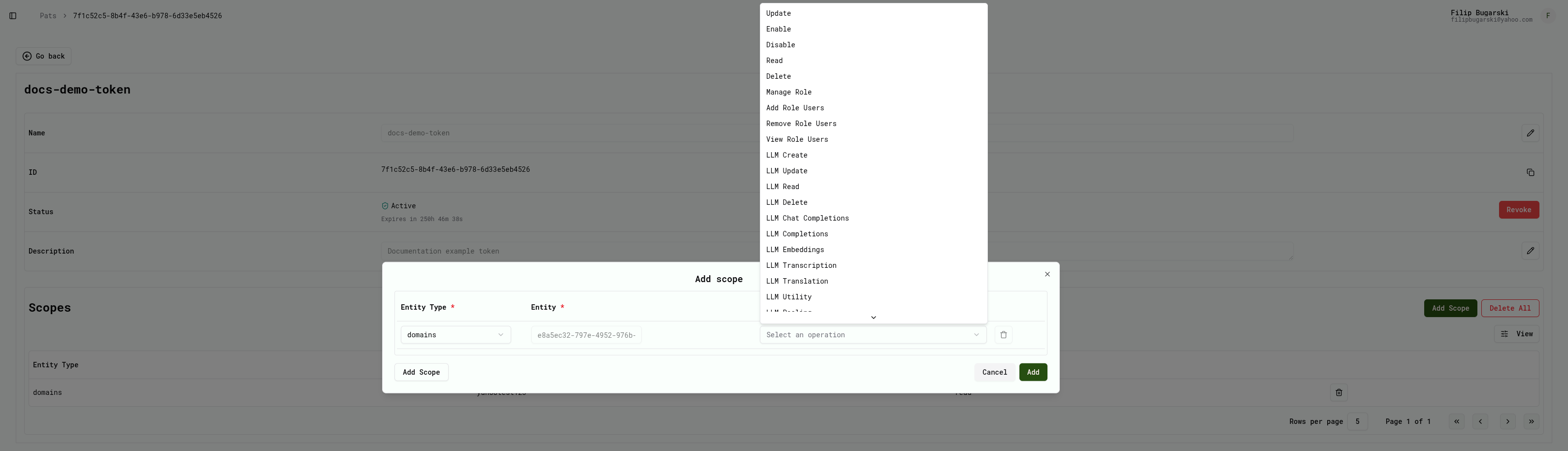
Scopes are configured in the Scopes section when creating or updating a PAT.
To add a scope:
- Click Add Scope
- Select the Entity Type
- Choose the specific Entity
- Select the allowed Operation
- Click Add to include the scope in the token
You can repeat the process to add multiple scopes to the same token.
Scope configuration example
Cube AI Scope Operations
Cube AI supports a number of operations that can be assigned to PAT scopes.
Available operations depend on the selected entity type and the permissions assigned to the user.
| Operation | Description |
|---|---|
| Read | View resource information |
| Update | Modify existing resources |
| Delete | Remove resources |
| Enable | Enable a disabled resource |
| Disable | Disable a resource |
| Manage Role | Manage role permissions |
| Add Role Users | Add users to a role |
| Remove Role Users | Remove users from a role |
| View Role Users | View users assigned to a role |
| LLM Create | Create a new LLM configuration |
| LLM Update | Modify an existing LLM configuration |
| LLM Read | View LLM configuration |
| LLM Delete | Remove an LLM configuration |
| LLM Chat Completions | Generate chat responses from an LLM |
| LLM Completions | Generate text completions |
| LLM Embeddings | Generate vector embeddings |
| LLM Transcription | Convert audio to text |
| LLM Translation | Translate text |
| LLM Utility | Access utility operations related to LLM services |
Token Structure
A Personal Access Token generated by Cube AI follows a structured format consisting of:
- a fixed
pat_prefix - an encoded identifier section
- a securely generated random suffix
This structure allows Cube AI to identify the token while ensuring that the token itself remains secure and difficult to guess.
Tokens are stored securely and should always be treated as sensitive credentials.
Using a PAT
PATs are passed as Bearer tokens in the Authorization header.
Authorization: Bearer <your_pat>
Example
curl -k https://<cube-ai-instance>/proxy/<domain_id>/v1/models
-H "Authorization: Bearer <your_pat>"
Where PATs Are Used
Personal Access Tokens are primarily used for programmatic access to Cube AI.
Common usage scenarios include:
- accessing Cube AI APIs from scripts
- running automated workflows and CI/CD pipelines
- integrating Cube AI with external services
- authenticating CLI tools and development utilities
- sending inference requests from backend services
PATs are accepted by Cube AI API endpoints that support Bearer token authentication.
Security Best Practices
- PATs are issued per user
- Access remains restricted by domain permissions
- Tokens should be kept secret
- Rotate tokens regularly
- Revoke unused or compromised tokens immediately
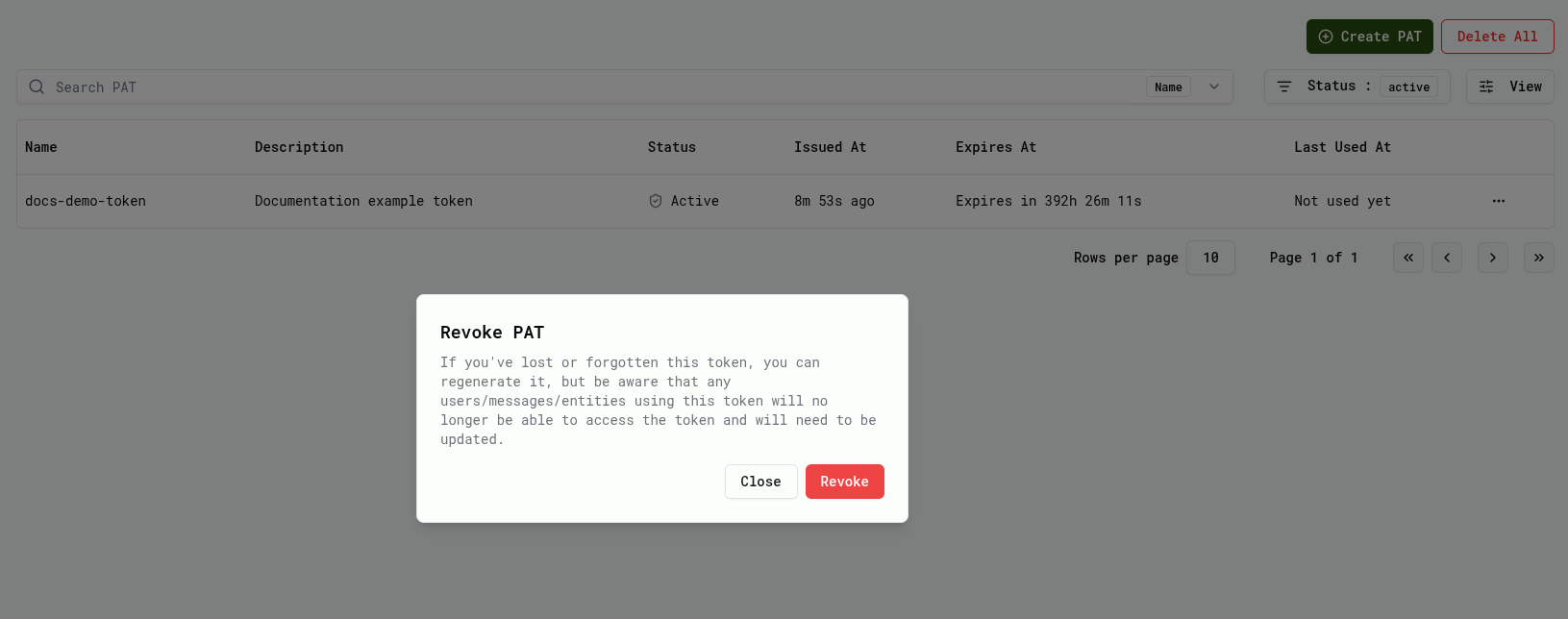
Revoking PATs
PATs can be revoked at any time from the UI.
Profile → PATs → Revoke