

Translations
The Translations endpoint allows you to translate text or speech between languages using supported language models.
This feature is optional and may not be enabled in all Cube AI deployments. It is useful when building applications that need multilingual support, such as:
- automatic subtitle generation
- multilingual chat assistants
- real-time translation of audio or text
- support for international users
Cube AI scope
Cube AI provides secure translation execution inside Trusted Execution Environments (TEEs). It does not train or fine-tune translation models, nor does it host language model training pipelines. Model availability and supported languages depend on backend configuration.
How It Works
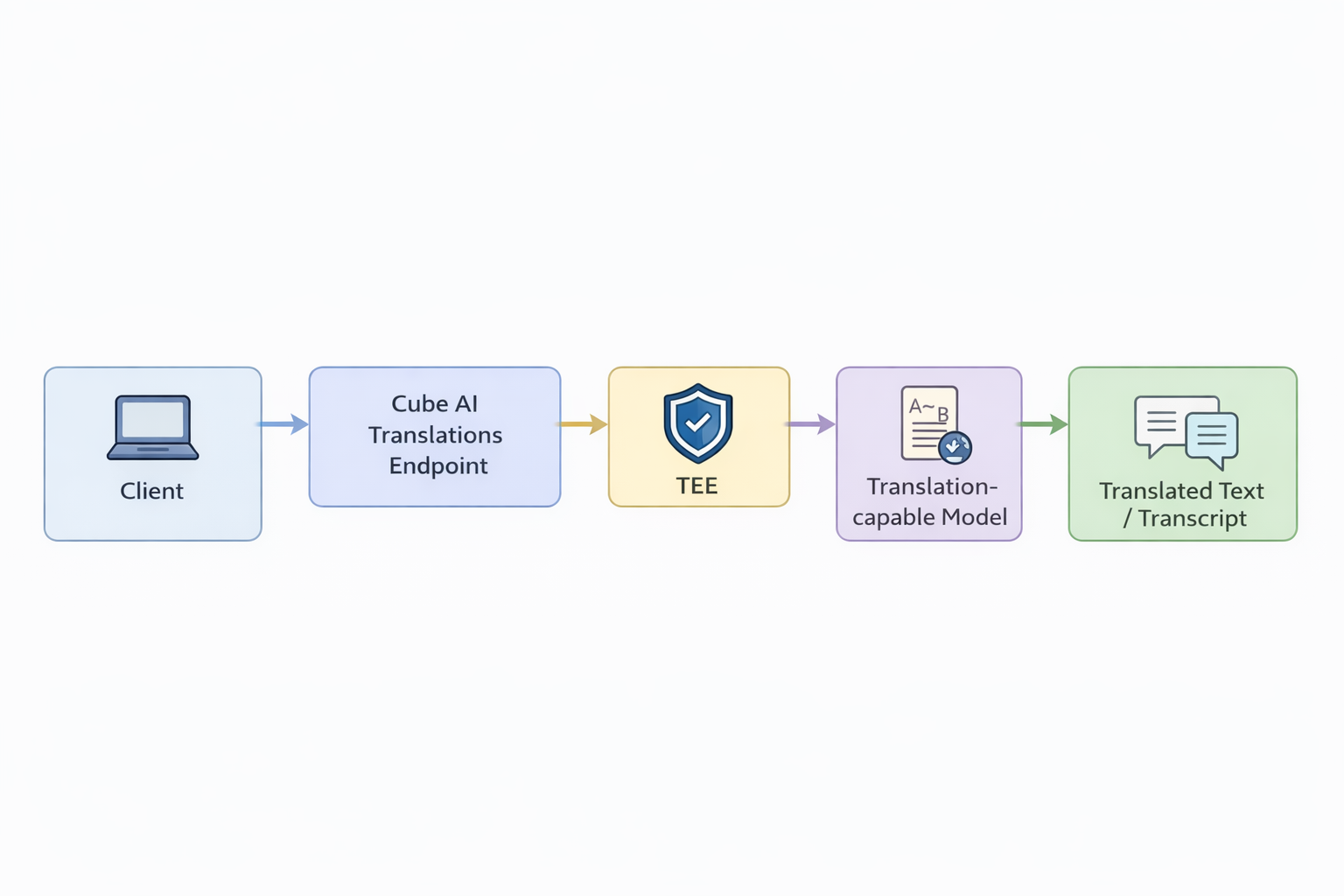
When you call the Translations endpoint:
- Your input (text or audio) is sent securely to Cube AI.
- The request is processed by a language model that supports translation.
- The translated output is returned.
All processing runs inside a Trusted Execution Environment (TEE), ensuring that input data and translated output remain confidential.
Use Cases
- Text Translation: Convert text from one language to another.
- Speech Translation: Translate spoken audio into text in another language.
- Multilingual Interfaces: Add translation support to apps, bots, or UIs.
- Accessibility: Automatic subtitle or caption translation.
All requests are authenticated using Personal Access Tokens (PATs).
Endpoint
POST /proxy/{domain_id}/v1/audio/translationsNote: Some deployments may also expose a text-only translations endpoint (e.g.,
/v1/translations) depending on backend and configuration.
Example Request (Audio)
Translate an audio file (e.g., WAV) using a model that supports speech recognition and translation:
curl -k https://localhost/proxy/<domain_id>/v1/audio/translations -H "Authorization: Bearer <pat>" -H "Content-Type: multipart/form-data" -F "[email protected]" -F "model=whisper-1"Example Request (Text)
Translate a text string between languages:
curl -k https://localhost/proxy/<domain_id>/v1/translations   -H "Authorization: Bearer <pat>"   -H "Content-Type: application/json"   -d '{
    "model": "gpt-4o-mini-translator",
    "source_language": "en",
    "target_language": "sr",
    "input": "Hello, how are you?"
  }'
Adjust the endpoint path as configured in your deployment.
Response
Returns an object containing the translated text (or text result from audio).
Example (text translation):
{
  "object": "translation",
  "input": "Hello, how are you?",
  "translation": "Zdravo, kako si?"
}
Notes
- Requests are authenticated using Personal Access Tokens (PATs)
- Translations run inside a Trusted Execution Environment (TEE).
- Supported models and languages depend on backend configuration (Ollama / vLLM).
- Cube AI does not define new languages — it exposes models that support translation.
- Use this feature when your application needs secure, multilingual capabilities.
Next Steps
- Combine with Chat Completions for real-time multilingual chat
- Integrate into UI for user-facing translation support
- Use with Embeddings for cross-lingual semantic search